Not enough network data yet to publish a
meaningful index for Retail.
Sender Registry only publishes a trend once there's enough real report volume
to mean something. We won't dress up a handful of reports as a statistic.
Check back as the network grows.
Methodology.
This index compares the number of reports Sender Registry received in the last 7
days against the 7 days before that, counting only reports from organisations classified in the Retail industry.
A change of more than 5% in either direction is shown as rising or falling; smaller
movements are shown as steady.
This is a deliberately simple, honest first-pass methodology. It does not yet
adjust for seasonality, network growth, or industry baseline volume. We'll say so
plainly if that changes. Below a minimum sample size, we publish nothing rather than
a number that would mostly be noise.
Save it before you need it.
Add our reporting address to your contacts now, so it's already there the next
time a suspicious email lands in an inbox.
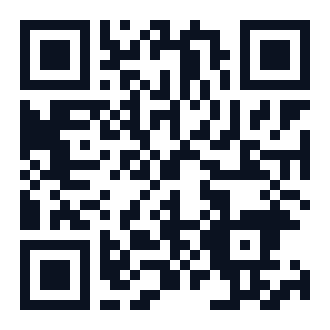
Scan with your phone's camera to save
straight to your contacts.
Save to your
contacts now, so it's already there next time you need it.
Or share this QR code with someone on another device.
Where is your business based?
You can change this at any time.
How Network Confirmation works
Every object in the registry (a sender, a domain, a campaign) moves through five
stages as independent evidence builds:
UNSEENNothing reported yet.
OBSERVEDOne report exists. A single data point, not yet corroborated.
CORROBORATEDA second, independent organisation has reported the same thing.
NETWORK CONFIRMEDFive or more independent organisations agree.
VERIFIEDTen or more independent organisations, the strongest confidence level.
This is deliberately separate from Risk and Confidence. How much of the network agrees
is a different question from how dangerous something looks, or how certain we are.
How Threat DNA works
Every campaign gets scored across 8 axes: infrastructure, domain patterns, message
templates, link behaviour, attachment patterns, target industries, target roles, and
campaign velocity. All plotted as a fingerprint.
Sender Registry compares every campaign's fingerprint against every other campaign's
using cosine similarity: the same technique used to compare documents by meaning, not
just matching words. A high match (we only ever suggest one above 55% similarity) means
two campaigns that look unrelated on the surface may share real infrastructure, even
under completely different domain names.
How the Intelligence Map works
Senders, domains, URLs, attachments, campaigns, brands and suppliers all become nodes
in a shared relationship graph, built from real evidence: a sender using a domain, a
domain appearing in the same report as another domain, a report belonging to a campaign.
On a phone, we deliberately don't force a giant graph onto a small screen. Instead you
get a focused view: the object you're looking at, and everything directly connected to
it, with a tap to move to any of those connections in turn.
How push notifications work
Add Sender Registry to your home screen and turn on notifications from your account -
both free, both take under a minute. From then on, anything urgent (a payment-diversion
campaign, an executive impersonation attempt) reaches you as a real notification on your
lock screen, the same way any other app alerts you.
Every notification is sent end-to-end encrypted directly to your device - nothing is
readable in transit by anyone other than your phone.
How the QR scanner works
Open Verify Before You Act, point your camera at a QR code, and capture it. The image is
decoded and the destination it leads to is checked exactly the same way we already check
a QR code found inside a forwarded email - the same detection, just with your camera as
the front door.
You'll see whether the destination is safe, blocked, or worth a second look, with a plain
explanation either way.
How sharing to Sender Registry works
On Android, once the app is added to your home screen, "Sender Registry" simply appears
as an option in your phone's normal Share menu - the same one you'd use to send a photo
to a friend. Share a suspicious text or link straight in, review it, and submit.
On iPhone, Apple's own software doesn't allow a website to appear in the Share menu
automatically. A short, one-time setup (a free "Shortcut") gets you the same result -
after that one step, it behaves identically on both phones.
 Sender Registry